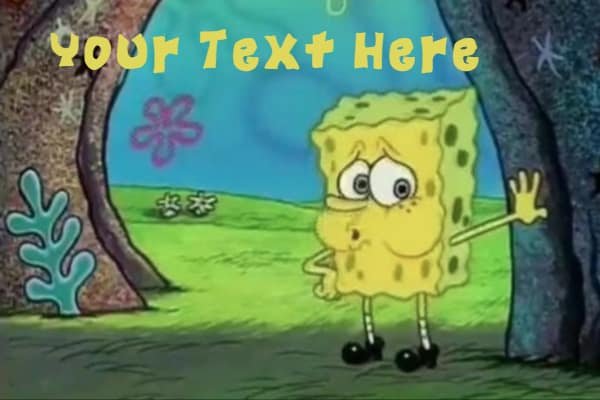
Ah, the internet’s favorite absorbent, yellow, and porous friend. From his infectious laugh to his iconic catchphrases, SpongeBob SquarePants has gifted us with endless joy and, of course, some truly unforgettable memes. Among them, the "Mocking SpongeBob" text generator stands out, turning everyday phrases into uproariously sarcastic declarations. But what if you wanted to go beyond simply using an online tool? What if you wanted to Code Your Own Spongebob Text Generator?
Imagine having complete control: crafting text that perfectly mimics SpongeBob's mocking tone, or perhaps generating messages in the bouncy, whimsical font seen in the show’s title cards. This isn't just about recreating a meme; it's about diving into the fascinating world of text manipulation, image processing, and even a little bit of web development. Whether you're a seasoned developer looking for a fun project or a coding newbie eager to make something genuinely entertaining, this guide will walk you through everything you need to know to bring your own slice of Bikini Bottom to life.
At a Glance: Your Deep Dive into Spongebob Text Generators
- Mocking SpongeBob: Learn the logic behind random capitalization (like "sOmEtHiNg LiKe ThIs") and how to implement it in code.
- Authentic Spongebob Font: Discover the characteristics of the official font and how to integrate it into your projects for that classic cartoon feel.
- Coding Essentials: Understand the basic programming concepts and libraries required to build your generator, from string manipulation to image rendering.
- Step-by-Step Guides: Get practical code examples for creating both text-based mocking outputs and image-based font applications.
- Advanced Features: Explore how to add backgrounds, stickers, and create a user-friendly interface for your generator.
- Licensing & Ethics: Navigate the important considerations of using copyrighted fonts and characters in your personal and public projects.
- Creative Inspiration: Find ideas for how to use your new generator for everything from personalized memes to unique craft projects.
Beyond the Meme: Why Build Your Own Spongebob Text Generator?
Sure, dozens of online tools let you generate Spongebob text in seconds. They're quick, convenient, and often packed with features. So why bother coding your own? The answer lies in control, customization, and the sheer joy of creation.
When you build it yourself, you dictate every rule. Want to make the "mocking" text less random, or perhaps randomize it more intensely? You can. Dreaming of a generator that automatically adds a bubble background, or layers a tiny Patrick Star sticker onto your text? That's entirely within your grasp. It transforms you from a user into a creator, empowering you to tailor the output precisely to your vision.
Beyond the creative freedom, building a text generator is an excellent practical exercise in programming. You’ll hone skills in:
- String Manipulation: Handling and transforming text data.
- Conditional Logic: Making decisions in your code (e.g., "if character is X, do Y").
- Randomization: Injecting unpredictability and fun into your output.
- File I/O (Input/Output): Reading user input and potentially saving generated images.
- Image Processing (for advanced versions): Working with fonts, colors, and layering graphics.
- User Interface Design (optional, for web apps): Creating an intuitive way for others to use your tool.
It’s a project that scales with your ambition, offering entry points for beginners and deep dives for experienced coders. Plus, who doesn't want to show off a custom-built tool that speaks fluent Spongebob?
Understanding the Spongebob Text Styles: More Than Just Caps
Before we dive into the code, let's dissect the two primary "Spongebob text" styles people usually refer to. While they both evoke the spirit of the show, their underlying mechanics and implementation are quite different.
The Mocking Spongebob: "aLtErNaTiNg CaPs"
This is perhaps the most famous Spongebob text meme, born from a still image of SpongeBob imitating a chicken, signifying mockery or condescension. The text style is instantly recognizable: random capitalization, where letters toggle between uppercase and lowercase without a fixed pattern.
How it works: Take a sentence like "This is a normal sentence." To transform it into Mocking Spongebob text, you'd apply a random case change to each letter, resulting in something like: "ThIs Is A nOrMaL sEnTeNcE." It’s deliberately messy, slightly childish, and undeniably effective at conveying a sarcastic tone. The key is that it's random, not strictly alternating. While many people think of it as "alternating caps" (like aLtErNaTiNg CaPs), the truly mocking version allows for sequences like THIS or is to appear with consistent casing, making it feel more organic and less predictable.
The Coding Challenge: The core task here is to iterate through each character of an input string and, for each character, decide whether it should be uppercase or lowercase. This decision needs to be somewhat random, mimicking the chaotic energy of the meme.
The Authentic Spongebob Font: Bouncy & Playful
Beyond the mocking meme, there's the actual font used in the show's title cards and various graphics. This font isn't about random capitalization; it's a specific typeface characterized by its bouncy, irregular lettering style, often featuring an uneven baseline and varying character heights. It exudes a playful, whimsical, and distinctly nautical vibe.
Imagine the iconic "SpongeBob SquarePants" title card – that's the font we're talking about. It's often used for fan art, birthday invitations, school projects, or any creative endeavor that aims to capture the show's official aesthetic.
Design Tips for the Authentic Spongebob Font:
- Bright Colors: Embrace the vibrant palette of Bikini Bottom. Think yellows, blues, pinks, and greens.
- Bubble Effects: Add subtle gradients or outer glows to give the text a bubbly, underwater look. Wavy text effects can also enhance this.
- Thematic Graphics: Pair the font with images of SpongeBob characters, coral, jellyfish, or other ocean-themed elements.
- Playful Content: Keep your message lighthearted and fun; the font naturally lends itself to humor and joy.
- Larger Sizes: The unique details and irregularities of the font truly shine at larger sizes. Small text can lose its charm and become less readable.
Licensing Considerations: A Crucial Note!
It's vital to understand that the official Spongebob font (or fonts heavily inspired by it) is typically free for personal use only. This means you can download it and use it for your personal fan art, your child's birthday invitations, or your personal YouTube thumbnail. However, if you plan to use it for anything commercial – like products you sell, advertisements, or content that generates revenue for a business – you must obtain proper licensing. Disregarding licensing can lead to copyright infringement issues, so always double-check the font's usage rights.
How to Obtain and Use the Font:
Online font generators allow you to preview text in the Spongebob font and often provide a download link for the font file (usually in .ttf or .otf format within a ZIP archive). Once downloaded, installing it is straightforward: - Windows: Extract the ZIP file. Right-click the
.ttfor.otffile and select "Install." - Mac: Extract the ZIP file. Double-click the font file to open Font Book, then click "Install Font."
Once installed, the font becomes available in most desktop applications like Microsoft Word, Adobe Photoshop, GIMP, and many others. For a quick way to preview text in this style or download the font for your personal projects, you can generate Spongebob text here. This often serves as a great starting point, whether you're just looking for an image or want the font file itself.
The Core Ingredients: What You'll Need to Get Started
Building your Spongebob text generator doesn't require an advanced degree in computer science, but a few basic tools and concepts will be your best friends.
1. Your Chosen Programming Language
You have options! The principles we'll discuss can be applied in almost any modern programming language. Popular choices include:
- Python: Excellent for beginners due to its clear syntax. It has robust libraries for both string manipulation and image processing (
Pillow). - JavaScript: Ideal if you want to create a web-based generator that runs directly in a browser. Node.js can handle server-side processing.
- Ruby, Java, C#: All capable languages with their own strengths, though Python and JavaScript tend to be more commonly used for this type of project due to their ecosystem or ease of web integration.
For this guide, we'll provide examples primarily in Python due to its readability and versatility, with conceptual notes applicable to other languages.
2. Basic Understanding of String Manipulation
This is fundamental. You'll need to know how to:
- Access individual characters within a string.
- Convert characters to uppercase (
'a' -> 'A'). - Convert characters to lowercase (
'A' -> 'a'). - Concatenate (join) strings to build your output.
3. A Way to Generate Randomness
The "mocking" effect relies on random decisions. Most languages have built-in modules or functions for generating random numbers or making random choices.
- Python: The
randommodule is your go-to (random.choice(),random.randint()). - JavaScript:
Math.random()generates a floating-point number between 0 (inclusive) and 1 (exclusive).
4. Optional: Image Processing Libraries (for Font-Based Generators)
If your goal is to generate images with the authentic Spongebob font (rather than just text output), you'll need a library to handle graphical operations.
- Python: The Pillow library (a fork of PIL, the Python Imaging Library) is the standard for image manipulation. It allows you to load fonts, draw text onto an image, and save the result.
- JavaScript (Browser): The HTML
<canvas>element combined with JavaScript provides powerful capabilities for drawing text and shapes. - JavaScript (Node.js/Server-side): Libraries like
node-canvasorsharpcan extend Node.js to perform image operations.
5. A Code Editor & Environment
Any plain text editor will work, but a dedicated code editor like VS Code, Sublime Text, or Atom will provide features like syntax highlighting, auto-completion, and integrated terminals, making your coding experience much smoother.
Recipe for Mocking Spongebob Text: Step-by-Step Coding Guide
Let's start with the simpler of the two: the "Mocking SpongeBob" text generator. This typically involves just string manipulation and randomness.
The Logic Behind the Mockery
The core idea is to loop through each character of the user's input. For each character, we'll flip a coin (metaphorically speaking). If it lands one way, the character becomes uppercase; if it lands the other, it becomes lowercase. Simple, right?
Step 1: Get User Input and Prepare for Iteration
First, your program needs to accept text from the user. Then, it needs to process that text character by character.
python
Python example
user_input = input("Enter your text to mock: ")
mocked_text = "" # This will store our result
Step 2: Random Case Transformation
Now, for the magic! We'll use a for loop to go through each character. Inside the loop, we'll use Python's random module to decide the case.
python
import random
user_input = input("Enter your text to mock: ")
mocked_text = ""
for char in user_input:
Decide randomly if the character should be upper or lower
if random.choice([True, False]): # 50/50 chance
mocked_text += char.upper()
else:
mocked_text += char.lower()
print(mocked_text)
Let's break down that if random.choice([True, False]): line:
random.choice()is a function that picks a random element from a sequence.[True, False]is a list containing two boolean values.- So,
random.choice([True, False])will randomly return eitherTrueorFalse. - If
True, we make the character uppercase (char.upper()). - If
False, we make it lowercase (char.lower()).
Step 3: Building the Output
As we process each character, we append its transformed version to our mocked_text variable. Once the loop finishes, mocked_text holds the complete, sarcastic masterpiece.
Example Run:
Enter your text to mock: Hello, how are you today?
hElLo, HoW aRe YoU tOdAy?
Notice how the output isn't strictly alternating. This random choice per character gives it that authentic, unpredictable mocking feel.
Expanding the Mockery: Beyond Basic Alternating
While the 50/50 random choice works well, you can add more sophistication:
- Punctuation: The current code applies case changes to punctuation too. You might want to preserve punctuation as-is.
- First letter capitalization: Some mocking generators ensure the first letter of each word alternates.
- Streak control: You could introduce logic to avoid long streaks of all uppercase or all lowercase characters, making the alternation feel more consistent.
Here's an improved Python snippet that considers only alphabetic characters for case change:
python
import random
def generate_mocking_text(text):
mocked_output = []
for char in text:
if char.isalpha(): # Only change case for alphabetic characters
if random.choice([True, False]):
mocked_output.append(char.upper())
else:
mocked_output.append(char.lower())
else:
mocked_output.append(char) # Keep non-alphabetic chars as they are
return "".join(mocked_output) # Join list of chars into a single string
user_input = input("Enter your text to mock: ")
result = generate_mocking_text(user_input)
print(result)
This version looks much cleaner and produces better results, as punctuation and numbers remain unchanged, preserving readability while maintaining the mockery.
Bringing the Authentic Spongebob Font to Life (Beyond Simple Text)
Generating text in the actual Spongebob font is a bit more involved because it typically requires rendering that text onto an image. You can't just change the case of characters; you need the font file itself and a way to draw with it.
Option 1: Using a Pre-Downloaded Font (The Easy Way)
Once you've installed the Spongebob font (or a similar fan-made version like "Some Time Later" or "Fancy Pants") on your computer, it becomes available in virtually any program that supports custom fonts. This is the simplest way to use it for projects like:
- Desktop Publishing: Create invitations, flyers, or posters in Microsoft Word, Google Docs, or LibreOffice.
- Image Editing: Design memes, social media graphics, or YouTube thumbnails in Adobe Photoshop, GIMP, Canva, or Pixlr.
- Video Editing: Add Spongebob-style titles to your videos in Premiere Pro, DaVinci Resolve, or iMovie.
The catch? This isn't "coding your own generator" in the programmatic sense. It's using existing software with a downloaded asset. However, if your goal is simply to create an image with Spongebob text, and you're not looking to write code for every step, this is a perfectly valid and very common approach. Many online Spongebob text generators function as front-ends to a server-side image rendering engine, essentially automating this process.
Option 2: Programmatic Image Generation with Custom Fonts
This is where coding truly shines for the authentic Spongebob font. You'll write code to:
- Load your Spongebob font file.
- Create an empty image (a "canvas").
- Draw your desired text onto that canvas using the loaded font.
- Add colors, effects, and potentially background images.
- Save the result as an image file (e.g., PNG, JPEG).
This method gives you ultimate programmatic control. You could, for example, build a script that takes a list of names and automatically generates a Spongebob-themed birthday card image for each one.
Key Libraries for Image Generation:
- Python: Pillow (PIL Fork)
- Installation:
pip install Pillow - Capabilities: Loads various image formats, manipulates pixels, draws shapes, and, crucially for us, renders text using
.ttfor.otffont files. - JavaScript (in browser): HTML Canvas API
- Usage: Embed a
<canvas>element in your HTML, then use JavaScript to get its rendering context (ctx = canvas.getContext('2d');). The context object has methods likectx.font,ctx.fillStyle, andctx.fillText.
Code Snippet: Generating an Image with Spongebob Font (Python with Pillow)
This example assumes you have a Spongebob font file (e.g., SpongebobFont.ttf) in the same directory as your script.
python
from PIL import Image, ImageDraw, ImageFont
def create_spongebob_image_text(text, font_path, font_size, text_color, background_color, output_filename, canvas_width=800, canvas_height=200):
"""
Generates an image with the given text in the Spongebob font.
"""
try:
1. Create a blank canvas (image)
img = Image.new('RGB', (canvas_width, canvas_height), color = background_color)
d = ImageDraw.Draw(img)
2. Load the Spongebob font
Adjust font_path if your font file is elsewhere
font = ImageFont.truetype(font_path, font_size)
3. Calculate text size and position to center it
This will give you (left, top, right, bottom) bounding box
bbox = d.textbbox((0, 0), text, font=font)
text_width = bbox[2] - bbox[0]
text_height = bbox[3] - bbox[1]
x = (canvas_width - text_width) / 2
y = (canvas_height - text_height) / 2 # Adjust as needed for vertical centering
4. Draw the text onto the image
d.text((x, y), text, font=font, fill=text_color)
5. Save the image
img.save(output_filename)
print(f"Image saved as {output_filename}")
except IOError as e:
print(f"Error loading font or saving image: {e}")
print("Make sure 'SpongebobFont.ttf' is in the correct path and readable.")
except Exception as e:
print(f"An unexpected error occurred: {e}")
--- Configuration ---
my_text = "Are You Ready Kids?!"
spongebob_font_file = "SpongebobFont.ttf" # Make sure you have this file!
font_size = 80
text_color = (255, 204, 0) # SpongeBob yellow (R, G, B)
background_color = (0, 102, 204) # Ocean blue
output_file = "spongebob_title.png"
--- Run the generator ---
create_spongebob_image_text(my_text, spongebob_font_file, font_size, text_color, background_color, output_file)
You can also add a background image if you want.
background = Image.open("bikinibottom_background.png")
img.paste(background, (0,0)) # or resize/crop it first
Challenges with Programmatic Font Rendering:
- Font Files: You need the actual
.ttfor.otffont file. Ensure you adhere to its licensing terms (personal use only for most Spongebob fan fonts!). - Text Positioning: Accurately centering or positioning text can be tricky, especially with custom fonts that have irregular baselines. You often need to calculate text bounding boxes.
- Text Effects: Adding effects like outlines, shadows, or wavy text programmatically is significantly more complex than just drawing plain text. It might involve drawing the text multiple times with offsets or using advanced image filters.
- Performance: Generating many images on the fly, especially with complex effects, can be resource-intensive.
Despite the challenges, the power of programmatic image generation is immense, opening up possibilities for truly dynamic and automated Spongebob content creation.
Advanced Features & Creative Twists (Taking Your Generator to Bikini Bottom)
Once you've mastered the basics, you can start adding more complex features to make your generator truly unique and versatile.
1. Backgrounds & Overlays
Online Spongebob generators often allow users to choose from ready-made backgrounds, upload their own, or select a plain white canvas. Your generator can do the same!
- Pre-made Backgrounds: Store a collection of Spongebob-themed background images (e.g., Jellyfish Fields, Goo Lagoon, a shot of the Krusty Krab). Your code can then load one of these images and draw text over it.
- User Uploads: If building a web application, allow users to upload their own images. Your backend code would receive the image, process it, and superimpose the generated text.
- Transparent Backgrounds: For PNG output, you can create images with transparent backgrounds, allowing users to layer your Spongebob text onto any image they choose later. Pillow supports
RGBAmode for transparency.
2. Stickers & Graphics
Many online meme generators allow adding stickers (like speech bubbles, sunglasses, hats, or character cutouts). This is essentially layering multiple images.
- Image Assets: Collect or create small PNG images of popular Spongebob items or characters with transparent backgrounds.
- Layering Logic: Your code would need to:
- Load the base image (text on background).
- Load the sticker image.
- "Paste" the sticker image onto the base image at a specified coordinate.
- Offer options to resize, rotate, or flip stickers before pasting.
3. Dynamic Text Effects (For the Ambitious)
This moves beyond simple font rendering into advanced graphics.
- Wavy Text: Distort the text path or apply a wave filter to the rendered text image. This is mathematically complex, often requiring pixel manipulation.
- Bubble Outlines/Effects: Draw text, then draw an outline around it, or apply a "bubble" filter that makes the text look like it's made of liquid bubbles. Libraries like Pillow have some basic drawing primitives, but complex effects often mean writing your own pixel-level operations.
- Gradient Colors: Instead of a solid text color, fill the text with a gradient.
4. Web Integration: Creating a User-Friendly Interface
For maximum accessibility, turn your backend Python or JavaScript logic into a web application.
- Frontend (HTML, CSS, JavaScript):
- An input box for text.
- Buttons/radio toggles for mocking style vs. font style.
- Color pickers for text and background.
- File upload for custom backgrounds/stickers.
- A preview area (
<img>tag or<canvas>). - A "Download" button.
- Backend (Python with Flask/Django, Node.js with Express):
- Receives user input from the frontend.
- Calls your text/image generation functions.
- Returns the generated image (as a file download or a base64 encoded string for embedding).
- Handles file uploads securely.
5. Meme-Specific Templates
The context research mentions specific meme types like Mocking SpongeBob, Imagination SpongeBob, SpongeGar, Surprised Patrick, and Handsome Squidward. You could build in templates for these:
- Pre-selected Backgrounds: Automatically load the appropriate background image for "Imagination SpongeBob."
- Overlay Graphics: Automatically add the "rainbow" graphic for Imagination SpongeBob, or a caveman club for SpongeGar.
- Positioning Presets: Store common text positions and sizes for different meme formats.
This moves your generator from a generic tool to a specialized Spongebob meme creation hub, much like many popular online tools.
Troubleshooting Common Pitfalls
As with any coding project, you'll likely encounter a few bumps along the way. Here are some common issues and how to tackle them:
- Font Licensing Issues: This is critical. If you're building a generator for public use (even non-commercial, if it implies public distribution of styled text), always verify the font's license. Using a "personal use only" font for a public web app could land you in hot water. Consider using open-source Spongebob-esque fonts or purchasing a commercial license if needed. When in doubt, stick to text-based mocking generators, as they don't involve copyrighted font files.
- File Paths: A common error is your program not finding the font file or background images. Ensure your
font_pathand image paths are correct and accessible from where your script is running. Use absolute paths or relative paths carefully. - Image Processing Performance: Generating large, complex images on the fly, especially in a web server environment, can be slow and consume a lot of memory. Optimize image sizes, cache frequently used assets, and consider asynchronous processing if scaling up.
- User Input Sanitization: If your generator accepts user input (especially for file uploads in a web app), always sanitize and validate that input to prevent security vulnerabilities (e.g., malicious code injection, oversized files).
- Cross-Platform Compatibility: If you share your code, ensure it works on different operating systems. File path separators (
\vs/) and font rendering nuances can differ. - Pillow Text Rendering Quirks: Pillow's
textbboxandtextmethods can sometimes be a bit finicky with exact positioning, especially for multi-line text or fonts with unusual metrics. Experiment with padding and adjustment values.
The Ethics of Fan Creations & Copyright
Spongebob SquarePants is a globally recognized brand, and its intellectual property (characters, fonts, specific imagery) is protected by copyright and trademark law. When you create fan projects, it's crucial to understand the legal and ethical boundaries.
- Personal Use: Generally, creating something for your own enjoyment, sharing it privately with friends, or using it for a non-profit personal project (like a birthday invitation for your child) is considered "personal use" and is usually tolerated by copyright holders.
- Commercial Use: This is where you cross the line. If you start selling merchandise (t-shirts, mugs), running ads on your generator website, or using Spongebob elements to promote a business, you are almost certainly infringing on copyright and trademark. ViacomCBS (now Paramount Global) is the rights holder and actively protects its brand.
- "Fair Use" / "Fair Dealing": These legal doctrines allow limited use of copyrighted material without permission for purposes such as parody, criticism, news reporting, teaching, scholarship, or research. The "Mocking SpongeBob" meme itself is often considered a form of parody. However, "fair use" is a legal defense, not a right, and its application is complex and fact-specific. Building a text generator might not automatically qualify, especially if it's not clearly transformative or critical.
Best Practices for Fan Creators: - Be Transparent: Clearly state that your project is a fan creation and is not affiliated with, endorsed by, or sponsored by Paramount Global or Nickelodeon.
- Avoid Commercialization: Do not monetize your generator or any content created with it if it uses copyrighted assets (like the specific Spongebob font or character imagery).
- Use Public Domain or Licensed Assets: If you need background images or stickers, try to use assets that are in the public domain, creatively commons licensed, or for which you have explicit permission.
- Focus on Transformation: The more unique and transformative your creation, the stronger your ethical (and potentially legal) standing. For instance, a text generator that simply copies the font is less transformative than one that uses the font in a completely new and artistic context.
Ultimately, build your Spongebob generator for fun and learning. Keep it personal and non-commercial, and you'll likely avoid any issues while still enjoying the creative process.
Real-World Applications & Project Ideas
So, you've got a working Spongebob text generator. What now? The possibilities are as vast as the ocean itself!
- Personalized Greeting Cards: Automatically generate unique Spongebob-themed birthday cards for friends or family. "HaPpY BiRtHdAy!"
- Social Media Content: Quickly whip up humorous or sarcastic posts for Twitter, Instagram, or Discord.
- Inside Jokes: Create custom memes for your friend group, commemorating shared experiences in true Spongebob style.
- Educational Coding Project: Use it as a portfolio piece to showcase your skills in string manipulation, image processing, and web development.
- DIY Crafts: Print out Spongebob-style quotes for scrapbooking, custom t-shirts (for personal use), or party decorations.
- Game Development: Integrate the generator into a simple game where players need to decode or create Spongebob messages.
- Automated Meme Creation: Combine your generator with an API that fetches random images, creating a truly unique meme every time.
- Creative Writing Prompts: Generate funny or bizarre sentences to kickstart a creative writing session.
Your Next Dive into Deep-Sea Coding
Building your own Spongebob text generator is more than just a novelty; it's a fantastic educational journey into the heart of programming. You'll move beyond abstract concepts to create something tangible, fun, and immediately shareable.
Start simple. Get that mocking text working perfectly. Then, if you're feeling adventurous, venture into image generation with the authentic font. Layer on backgrounds, experiment with stickers, and perhaps even build a full-fledged web interface. Each step is a learning opportunity, a chance to deepen your understanding of code and unleash your creativity.
Don't be afraid to experiment, break things, and try new approaches. The world of programming is all about iteration and discovery. So grab your coding goggles, dive in, and create something truly absorbent, yellow, and porous!